|
|
Whiteley Research Inc., 456 Flora Vista Avenue, Sunnyvale CA 94086 www.wrcad.com |
|
Whiteley Research Inc., www.wrcad.com
Click
here to browse the on-line Xic manual.
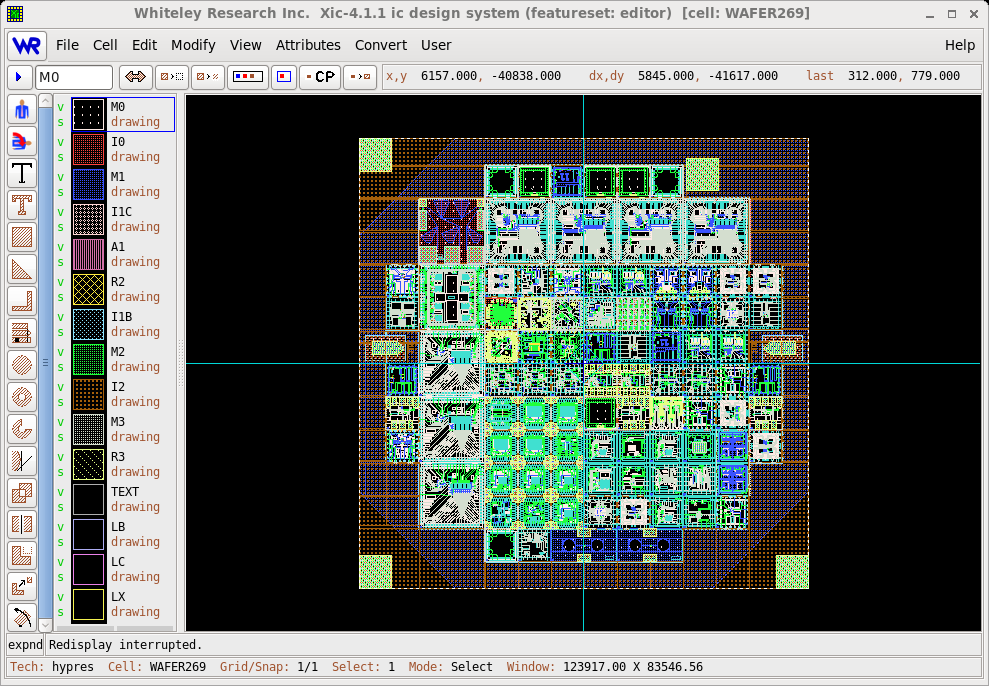
XicII
is a version of the Xic graphical editor
restricted in functionality to physical layout editing. This provides
a low-cost alternative for users that do not require the full
functionality of Xic. In particular,
XicII is a full-featured layout editor for less than the
cost of some GDSII viewing programs.
In order to streamline support and maintenance, the documentation
tree, i.e., the manual, help database, and release notes, is shared
between the two programs. This of course is a slight disadvantage to
XicII users, as the documentation contains descriptions
of disabled features, which may lead to confusion. However, this
greatly simplifies maintaining the documentation which translates into
lower cost to the customer, and also provides information to
XicII users about the potential functionality available
by upgrading to Xic.
Since the Xic and XicII programs share a
common source code base, enhancements to Xic physical
mode features will also apply to XicII.
This document will describe the differences between
XicII and Xic. Features not explicitly
discussed below are identical in both programs.
The XicII program does not use a separate license server
daemon. The validation logic is built into the program. A license
file is still required, of course. This greatly simplifies
installation of XicII, however it removes some of the
flexibility provided by the client/server arrangement in terms of
licensing multiple machines in a workgroup. The standard
configuration for XicII is a stand-alone application
dedicated to a single host, though other schemes may be available
(contact Whiteley Research for more information).
The license file should be found in the startup directory, or
elsewhere in the library search path. The conventional location is in
/usr/local/lib/xictools/xicii/startup. It will also be found
in /usr/local/lib/xictools/license.
The technology file used by Xic and XicII
has exactly the same format, and the example technology files supplied
with the two programs are identical. Parts of the technology file
that relate to features that are not available in XicII
are benignly ignored.
Native symbol files, and the other file formats, are completely
compatible between the two programs. Information in these files that
is not applicable to XicII, such as electrical data,
will be ignored, but returned to the file untouched when the file is
saved in XicII.
XicII does not have DRC support, consequently the
material in the manual and elsewhere describing DRC is superfluous.
There is no DRC Menu in XicII. There was
extensive internal debate as to whether to include DRC in
XicII. The final decision was to reduce cost as much as
possible, assuming that many potential XicII users would
not need the DRC capability. It is possible that DRC will be enabled
as an add-on in future XicII versions. If you have a
strong opinion' on this, please let us know.
XicII is a physical layout tool only. There is no
schematic entry, and no SPICE capability. The material in the
documentation pertaining to electrical mode should be ignored. There
is no Electrical or Physical button in the View
Menu.
XicII has no extraction capability and no Extract
Menu. The material in the documentation pertaining to extraction
and LVS should be ignored.
The scripting capability relating to user scripts is not present in
XicII, however the script interpreter is enabled. This
means that template cells and executable labels, which may be present
in designs done with Xic, will behave properly in
XicII. These constructs can be developed with
XicII, but there is little support, in particular no
debugger. The information in the documentation about scripts can be
ignored by XicII users, unless one wishes to define
template cells or executable labels, or enter script functions from
the prompt line. In this case, the material on script syntax and
built-in functions remains as the reference.
The background processing capability is not available in
XicII.
The '!' commands in XicII are identical to those in
Xic, however '!' commands in XicII which
relate to unavailable features will silently do nothing.
|